


Mac · iPhone


Windows · Android
 TallyMate
intelligence.
TallyMate is the business book that does the counting for you. Sales, credit, stock, online orders and staff are added up the moment they happen — the same on your Mac, Windows PC, iPhone and Android phone, even with the internet off.
Built for millions
of entries.
Tested with big made-up businesses — up to 4.5 million entries and 20,000 products — and a sale still saves in under half a second.
Speaks your language.
Counts your currency.
Get the highlights.
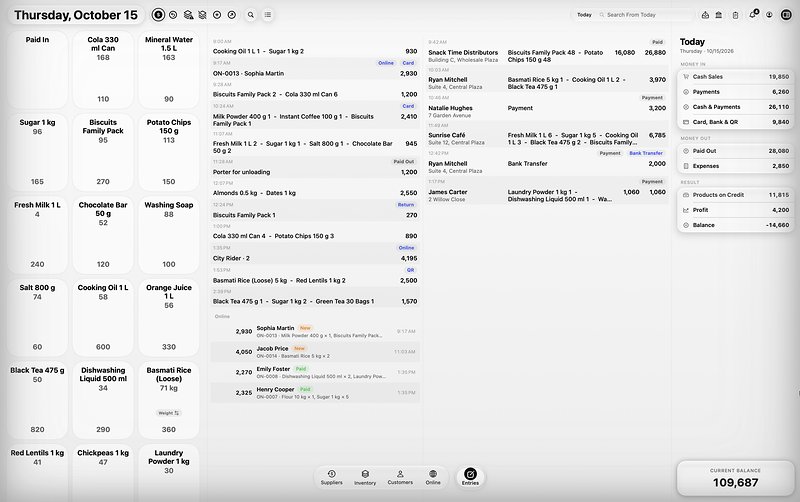 Selling
Sell in seconds.
Tap product boxes or scan a barcode. The receipt builds on the side and the change is worked out for you.
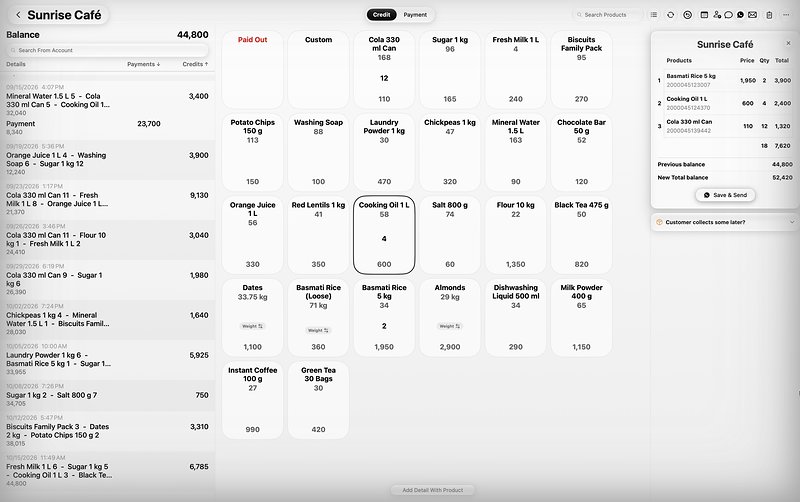 Accounts
Every account, exact.
Sell on credit from a customer’s account — his price, his discount, his limit. The receipt shows the previous and the new balance.
 At the counter
Made for the busiest hour.
Cash, Card, Bank Transfer, QR or Split — one tap, and the book is right.
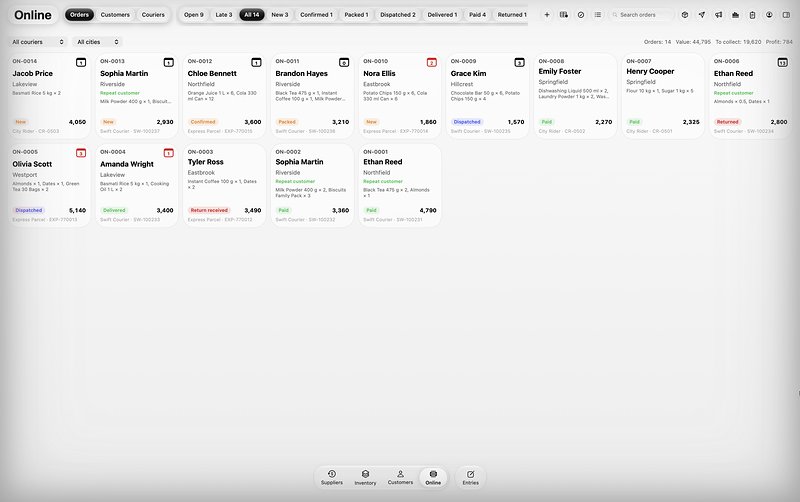 Online orders
From WhatsApp to delivered.
Paste the messages, move each order step by step, work out courier charges and print parcel labels.
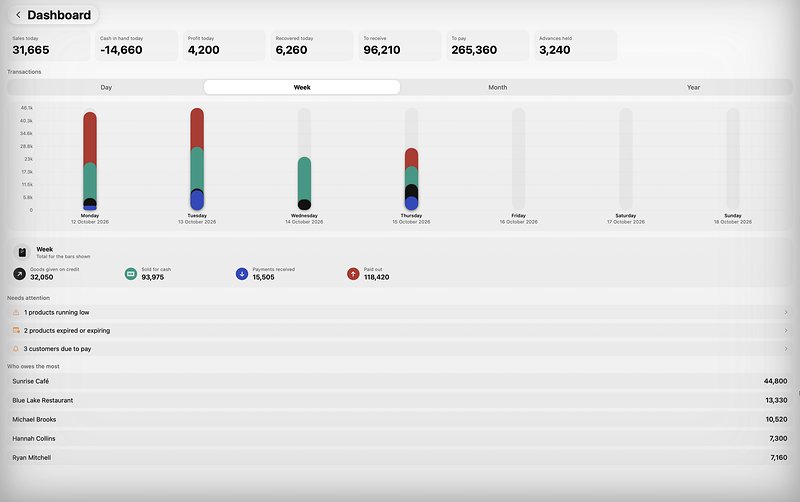 Dashboard
The business on one page.
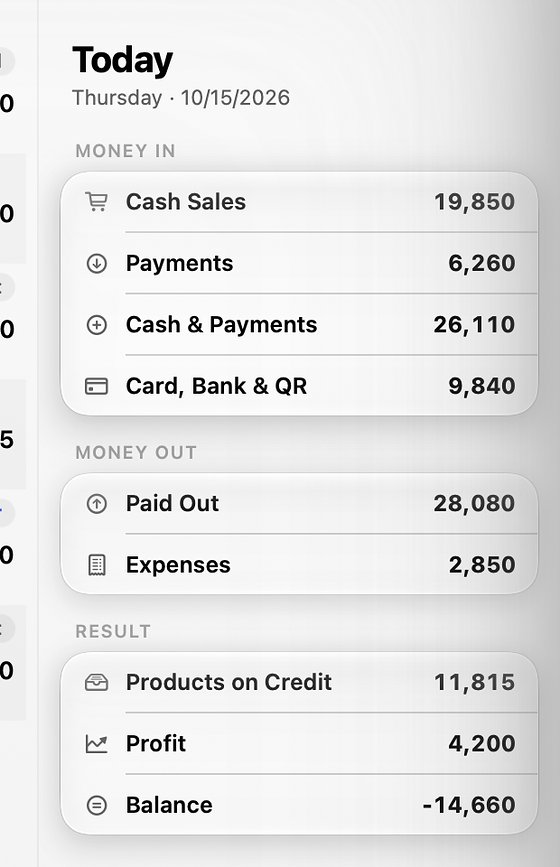
Sales, cash in hand, profit, money recovered today — and what needs your attention.
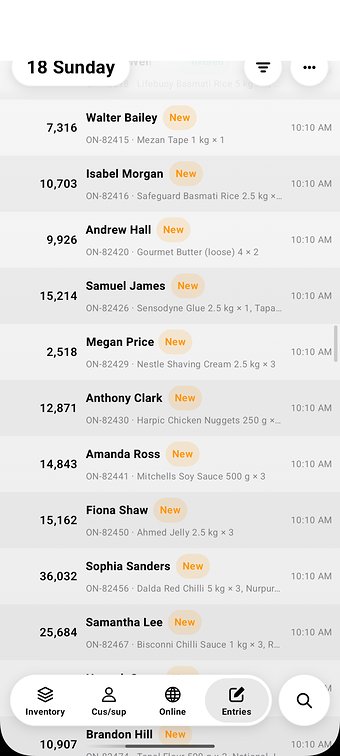
 iPhone & Android
The business in your pocket.
Pull the bar up and a new sale rises with your finger. Today’s figures are one swipe from the right edge.
 Reports
Reports that draw their own charts.
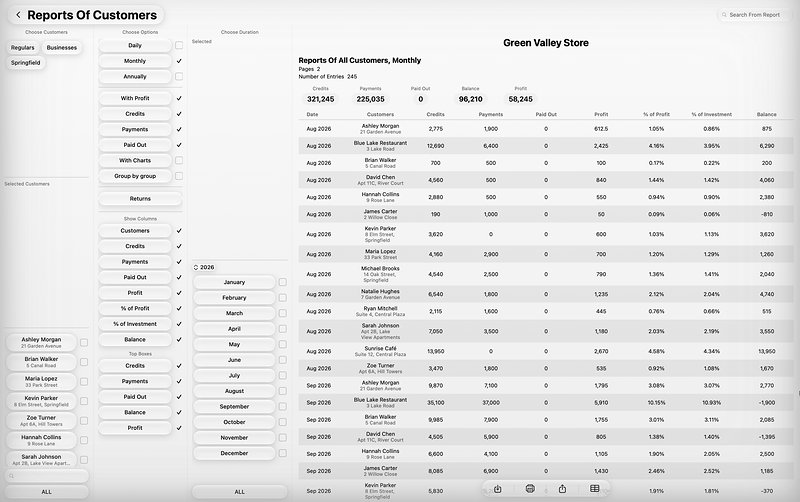
Twenty reports for any day, month or year — save as PDF, export to a spreadsheet, print or share.
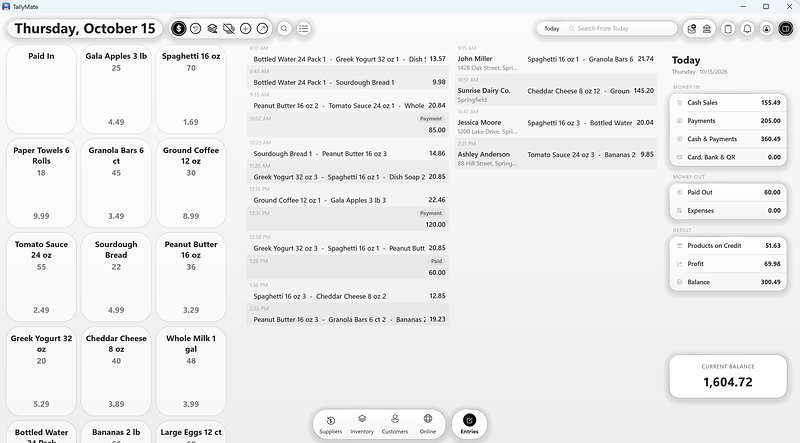 Windows
At home on Windows.
The whole book on your business PC, with keyboard shortcuts and a customer screen on a second display.
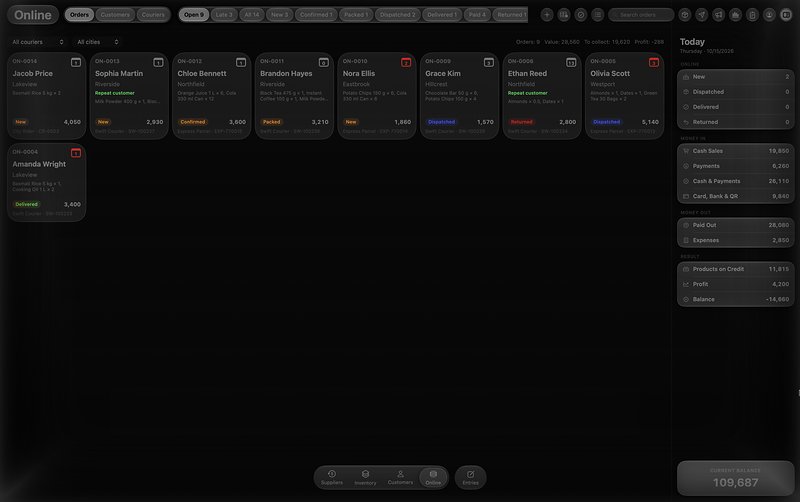 Light & Dark
Easy on the eyes, late at night.
Light, Dark or Auto on every device — plus your own background picture.


Pull up.
Sell.
The phone apps have a glass bar at the bottom. Pull it up and the sale window rises with your finger — the bar turns back on its bottom edge like a closing door, and the window slides over it.
A cash sale, paid now.
- On Entries, pull the bar up: the sale window rises over the day’s entries.
- Tap a product box to add one. The black pill shows how many products and the total — pull it up for the receipt, where Cash Received works out the Change.
- Tap the blue ✓ to save. Every sale gets its own receipt number.
A sale on credit, on the customer’s account.
- Open a customer: the balance, every entry, and the account’s own bar — Reminder, Promised, WhatsApp, Repeat.
- Pull that bar up: the sale window opens with the customer’s name on top, and the prices come at their own price level, less their discount.
- Tap the blue ✓: the goods go on the account as a Credit and the balance goes up. Over the credit limit, you are asked first.
Drag the bar up or the window down to try it.
See where your money is.
The Dashboard on your Mac and on your phone: sales, cash in hand, profit and money recovered today, what is owed each way, and who owes the most.

One book.
Every moment of the day.
- Sell
A sale in a few taps.
Tap a product box or scan its barcode; type the cash handed over and TallyMate shows the Change. Card, Bank Transfer, QR or Split is one tap, and the receipt gets its own number and barcode.
- Credit
Credit that keeps count.
Sell from a customer’s account and his price level, discount and credit limit are used by themselves. Part of it collected later? It waits as reserved stock.
- Online
Every order, every step.
Paste WhatsApp orders and move each one with a single button: Confirm, Mark packed, Hand to courier, Delivered, Paid. Late steps turn red by themselves.
- Dashboard
Today, at a glance.
Sales today, cash in hand, profit and money recovered — with a chart by day, week, month or year, and Who owes the most.
- Reports
Twenty reports. Any stretch of time.
Daily, monthly or annually, with the columns you choose. Save as PDF, Export as spreadsheet (CSV), Print or Share.

From opening up
to lights off.
Follow one ordinary day — a sale, a sale on credit, a return, a WhatsApp order, a shift change — and see exactly how TallyMate handles each moment.
 Opening upWho is using TallyMate?Each person signs in as themselves.
 First customerSell in secondsTap boxes or scan. The change is worked out.
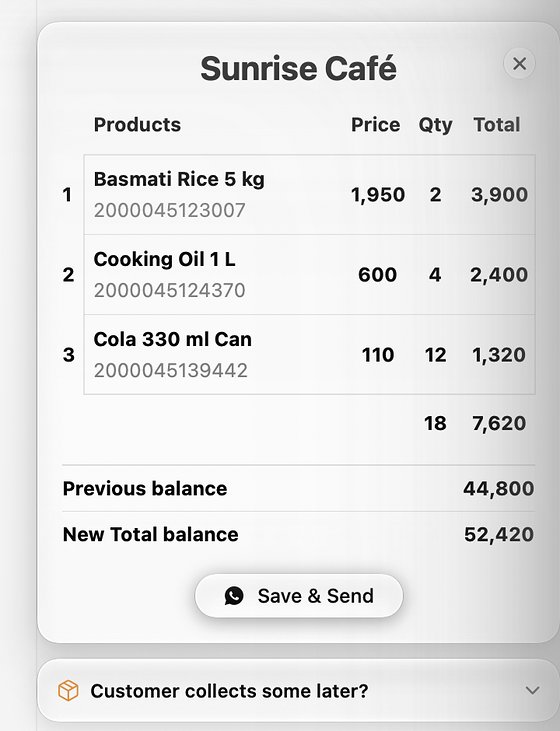 A regularSale on creditHis price, his discount, his limit — by themselves.
 4 pmShift changeCount the drawer: Matches, Short by or Over by.
 ClosingBook safeSynced all day. A locked copy in your own drive.


Every number,
sharp and clear.
Close-ups from TallyMate for Mac, with a made-up test business.


Easy on the eyes,
day and night.
Light, Dark or Auto, following your device. Drag across the screen to compare.


- Light, Dark or Auto (System). Follows your device, or your choice.
- Text size. Small, Standard or Large at setup, and a font size in Settings.
- Your own background picture, with blur, and text that stays readable.
- Date colour on Entries. Blue to start with, or pick another; an older day always shows in orange on Mac and PC.

Your staff.
Your rules.
Everyone signs in as themselves. For every screen, button, figure and report, choose one of five.
- Roles to start from: Owner, Manager, Cashier or Full access — or your own name, like “Night shift”.
- Passwords belong to the person: each makes their own. You can only Clear one — and that stays in the activity log.
- Requests: a staff member asks, you tap Approve or Deny on any of your devices.
- Sees only their own work: their entries, receipts and reports only.
- One device at a time and Can work offline, set per person.
- Remote staff: invite someone by email; they never see your login.
- Audit trail: every edit, delete, changed time and changed price, with who and when.

Internet off? Keep selling.
Entries saved without internet stay on the device and sync when it comes back. Once a day every device checks itself against the cloud, so devices never drift apart.
Backed up by itself.
Every single day.
The book syncs to the cloud as you work, and once a day a locked copy goes to your own drive.
iCloud Drive
On Mac and iPhone, in a TallyMate folder.
OneDrive
On Windows, plus a copy in This PC ▸ Documents ▸ TallyMate Backups.
Google Drive
On Android, in a TallyMate folder. The app can see only the files it made.
Locked copies
Only TallyMate can open them. The newest 14 are kept.
A code to sign in
A 6-digit code is emailed to you each time you sign in with your password.
No ads. No tracking.
Your book is yours. We don’t sell data, and anonymous statistics can be switched off.
Deleted something? Undo it, or put it back from Trash within 40 days. Privacy Policy
One TallyMate account.
Every device.
A sale made on the counter PC shows on the owner’s phone a moment later.
- macOS
- Windows
- iOS
- Android


Mac · iPhone


Windows · Android